01
Foundations
Understand AI, Claude, and the working modes. Demystify the technology and learn to interact with an LLM effectively.
 Let's talk
Three half-days to understand the full AI ecosystem — and walk away with everything you need to think, decide, and act on your own. In person, at your office. From theory to action.
Each half-day builds on the previous. We start with AI fundamentals, move into team collaboration, and finish with advanced capabilities. By the end, your team understands the full ecosystem — and can decide knowingly how to go further.
Understand AI, Claude, and the working modes. Demystify the technology and learn to interact with an LLM effectively.
Obsidian as memory, Cowork as assistant, MCP to connect AI to your tools. Structure and connect your organization's intelligence.
Claude Code, the terminal, VS Code. Deploy your first agent and understand what becomes possible — and how to get there.
AI isn't a shortcut. It's a discipline. Well-designed, it frees your teams. Well-taught, it makes them autonomous.
Each ~4-hour session combines theory, live demos and hands-on workshops in pairs. The goal: every participant leaves with a complete understanding of the ecosystem — and a functional agent at the end.
This plan is a proposal, not a rigid script. It adapts to your team's profile — a group already familiar with Claude doesn't need the same time as a team just discovering it. Modules added, removed, deepened or shortened based on your needs, sector and existing expertise. We calibrate together before the training.
The first session lays the groundwork. We demystify AI, understand how an LLM really works, and learn to work with Claude effectively. It's the foundation everything else builds on.
What an LLM is (and isn't). How it works under the hood — no jargon. Why Claude stands out. The limits and strengths to understand for proper use.
How Claude handles conversation context. The memory system, projects, and why how you structure your exchanges changes the quality of results entirely. We also explore Markdown: why it's the universal format to communicate with AI, how a simple text file becomes your agents' persistent memory.
Chat, Cowork and Claude Code — three interfaces, three uses. We explore each in detail: when to use which, for what, and why understanding the difference matters.
AI without a framework is a risk. We explore 6 responsible AI principles: reliability, privacy, fairness, transparency, accountability, inclusivity. Concrete questionnaires your leadership can fill out to define the rules each AI agent will automatically respect.
In pairs, participants ask Claude 4 questions without context. Then they create a project, load a fictional company's .md file (provided), and ask the same questions again. The difference is immediate. They finish by editing the .md live to change Claude's behavior.
A solid understanding of AI, Claude, Markdown files as the foundation of AI memory, the different working modes, and responsible governance principles.
The second session gets into the concrete of collective intelligence. How to give your team a shared memory with Obsidian, and how to structure Cowork agents with defined roles and contexts.
Why Obsidian is the ideal tool to serve as the "brain" for your AI agents. Markdown file structure, internal links, and how to organize company knowledge so it's exploitable by AI.
How Cowork turns Claude into an autonomous desktop assistant. Understanding roles, instructions, agent memory, and how a "Cowork team" lets each company function have its own specialized assistant.
How the two work together. Obsidian as knowledge base, Cowork as action interface. The architecture that lets AI know your company and improve over time.
How to extend your agents' capabilities. Skills teach a know-how. Connectors plug your agents into existing tools via MCP: Gmail, CRM, calendar, drive. Live demo of a Gmail and Calendar connection.
In pairs, participants connect Gmail and Google Calendar to a Cowork agent: summarize emails, identify actions, check availability, draft a response. Everything stays in read or draft mode. The agent prepares, the human validates.
Complete understanding of how to structure a team's collective intelligence. Obsidian as memory, Cowork as action engine, MCP as bridge to your existing tools.
The third session starts with action: we deploy the agent you designed in your homework. Then we open the door to advanced automation with Claude Code, VS Code and the complete vision of the ecosystem.
In pairs, participants deploy the agent they designed in their homework. We create the project, write instructions, load 2-3 source documents, and test with real cases. By the end of the hour, each pair has a functional agent.
Introduction to Claude Code: how it works, what it enables, and how it turns a .md file into concrete action. The link between CLAUDE.md and operations Claude Code executes. No need to be a developer.
VS Code as the environment to work with Claude Code. Git for versioning your files. Opening a folder, integrated terminal, viewing change history.
In pairs, participants open VS Code, launch Claude Code in a pre-configured folder, and run guided commands. They say "execute" and watch Claude Code read the CLAUDE.md and build a mini-project automatically.
Synthesis of the whole ecosystem. How Chat, Cowork and Claude Code fit together. Presentation of the company vault architecture for those who want to go further.
A first functional agent working for your company. Understanding of Claude Code and VS Code. The complete vision of an evolving AI ecosystem.
Your team walks away with a complete understanding of each tool, its role, and how it fits into the whole.
Main interface — chat, projects, memory.
Desktop agent — flow automation.
Advanced automation — terminal and scripts.
LLM wiki — team memory, agent brain.
Connection to your existing tools.
Custom instructions for Claude.
Development environment for agents.
Total control — automation without limits.
The training includes a complete governance framework based on 6 recognized principles. Your team walks away with the tools to define the rules each AI agent will automatically respect.
AI works as expected. When it doesn't know, it says so. Zero fact fabrication, zero silent hallucinations. Sources are always cited.
Sensitive data is identified and protected. Your agents know what they can see. Compliance with Law 25, PIPEDA.
No discrimination, no hidden bias. A human always has the final word on decisions affecting people.
The user knows when AI is involved, how it produced its answer, and where its sources come from.
Each agent has a human owner. The AI prepares and recommends. The human decides and owns.
AI serves everyone, regardless of language, technical level, or accessibility needs.
Each principle translates into a simple questionnaire your leadership fills out. The answers become STRICT BOUNDARIES that each AI agent inherits.
You fill them out once. Every agent inherits them. No per-agent configuration. No risk of forgetting a rule.
Fill out the 6 questionnaires (15 min each, guided by the AI advisor).
The answers become concrete rules (STRICT BOUNDARIES).
The rules are integrated into the company brain.
Each agent automatically inherits all the rules.
Every detail is designed to maximize your team's learning and engagement.
The training is delivered directly at your offices. No travel for your team, no external logistics.
Large enough to spark good discussions, small enough that every participant can ask questions.
Each concept comes with a real-time demonstration. No endless slides — we show tools in action.
The 3 half-days can be scheduled according to your reality — consecutive or spread out.
Practical workshops require each pair to have access to the tools. Here's what needs to be in place before Day 01.
Each pair of participants shares a Claude Team account during workshops. For a group of 12, you need 6 seats. The Team plan gives access to everything: projects, Cowork, Claude Code, Skills and Connectors.
The seats remain after the training. It's an investment, not an expense.
This training is for teams who want to understand AI to use it — not just hear about it.
Telecom resellers, integrators, manufacturer reps — teams whose experts spend too much time on administrative, repetitive tasks. AI can give them back time for what matters.
Entrepreneurs, trades, business owners. Those who do everything themselves — quotes, invoices, follow-ups — and spend evenings catching up on admin. AI as virtual assistant.
Those who need to understand what AI can do before making investment decisions. Not buzzwords — real understanding.
The training is designed to be accessible without a technical background, while staying relevant for advanced profiles. Everyone walks away with something concrete.
The training is a standalone investment — your team walks away with the knowledge to move forward on their own. Accompaniment builds your architecture. The partnership grows it with you.
The 3 full half-days, in person at your offices. Your team walks away with complete understanding of the ecosystem, a first functional agent, and a defined responsible AI governance framework.
Works out to ~$412 per participant for a group of 12. Travel costs extra outside Québec region.
We build your AI architecture together. Company Vault, specialized agents, workflows, connection to your tools. You leave with a functional system, not a recommendations report.
Typically 3 to 10 days depending on complexity. Custom quote after evaluation.
A block of hours reserved each month to evolve your system. New agents, new workflows, optimization, applied tech watch. You have a dedicated AI advisor.
The volume of hours and frequency are defined together based on your needs.
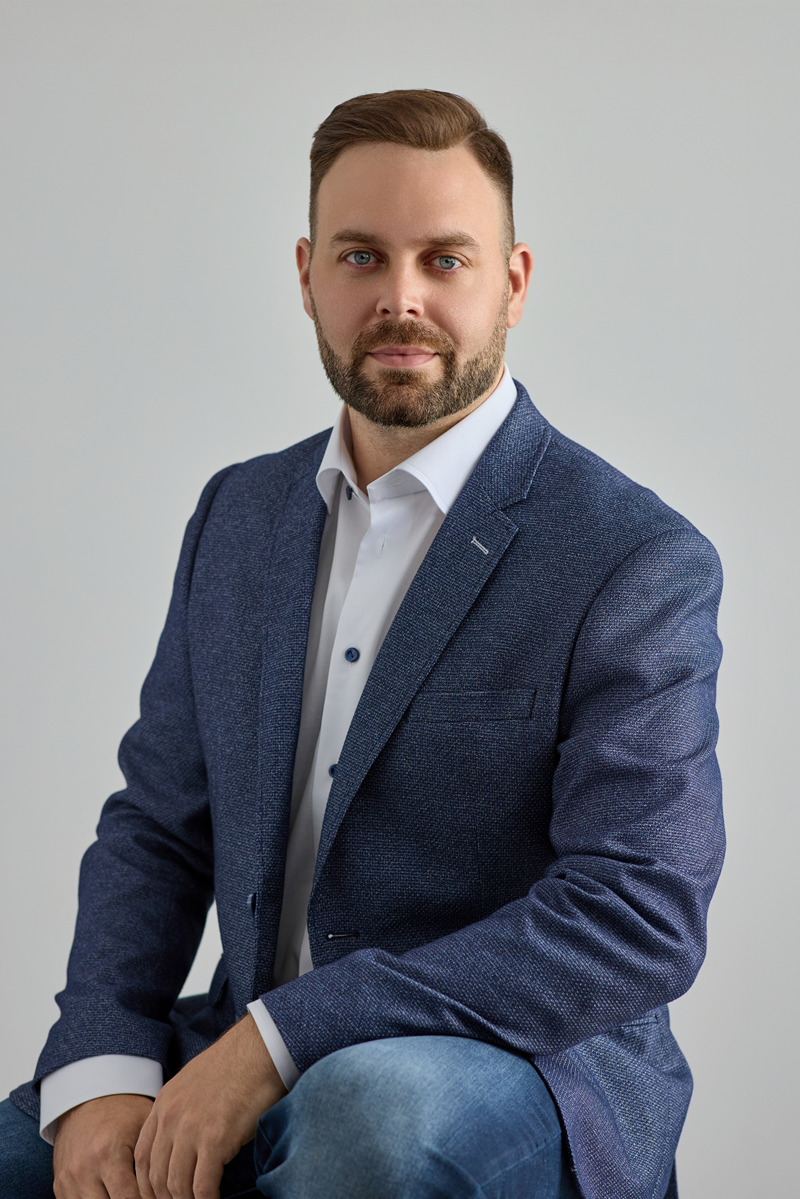
Someone who spent 10 years building and deploying systems structurally identical to an AI agent.
I'm Louis-Charles Cuierrier, electrical engineering graduate (B.Sc., Université Laval). 15 years in sales total — I started young in B2C — including 10 years in B2B sales at a Québec manufacturer in telecom and public safety, from field technician to VP Sales & Marketing.
I designed, deployed and configured complex monitoring and automation systems for clients across North America. Monitoring is exactly like AI: take a black box, give it rules, triggers, actions. I already think that way.
I built and delivered complete technical training plans for demanding audiences — installation technicians and professional engineers — traveled to clients across North America, and presented to audiences of 100+. Training technical teams — that's my natural ground.
I speak to technicians as easily as to executives. I simplify the complex. And I bring AI as a concrete tool — not as magic.
The first call is about calibrating the training for your team and sector. We look together at whether it's the right moment — and if yes, we plan the 3 sessions.